
Download Desktop Engine – 2D and 3D Desktop Animations, Interactive Avatars, Customizable Characters
Overview
Desktop Engine is a mobile application designed to transform standard desktop environments into dynamic, interactive experiences through animated 2D and 3D characters, customizable avatars, and responsive chat interfaces. The app enables users to bring their digital spaces to life by integrating animated elements that react to user input, such as mouse movements, eye tracking, and touch interactions. It is particularly suited for individuals seeking creative personalization of their digital workspace, including content creators, digital artists, and tech enthusiasts who value immersive user interfaces.
By combining a powerful built-in editor with advanced background tools, Desktop Engine allows users to craft unique desktop environments without requiring deep technical expertise. The app addresses the growing demand for personalized, engaging digital experiences beyond traditional static wallpapers. It fills a niche in the productivity and utility category by blending aesthetic customization with functional interactivity, making it a valuable tool for users who want their devices to reflect individuality while maintaining system efficiency.
Developed by Desktop Engine Studio, the application was released on May 23, 2025. The developer did not provide additional technical details regarding their background or prior projects. Despite this, the app’s focus on intuitive design and performance optimization suggests a targeted approach to user experience. Real-world use cases include setting up animated desktop companions for remote work, creating interactive presentations, or enhancing personal devices with playful, responsive characters. In the broader app ecosystem, Desktop Engine stands out as a creative utility that bridges the gap between visual design and functional interactivity.
Key Features & Functionality
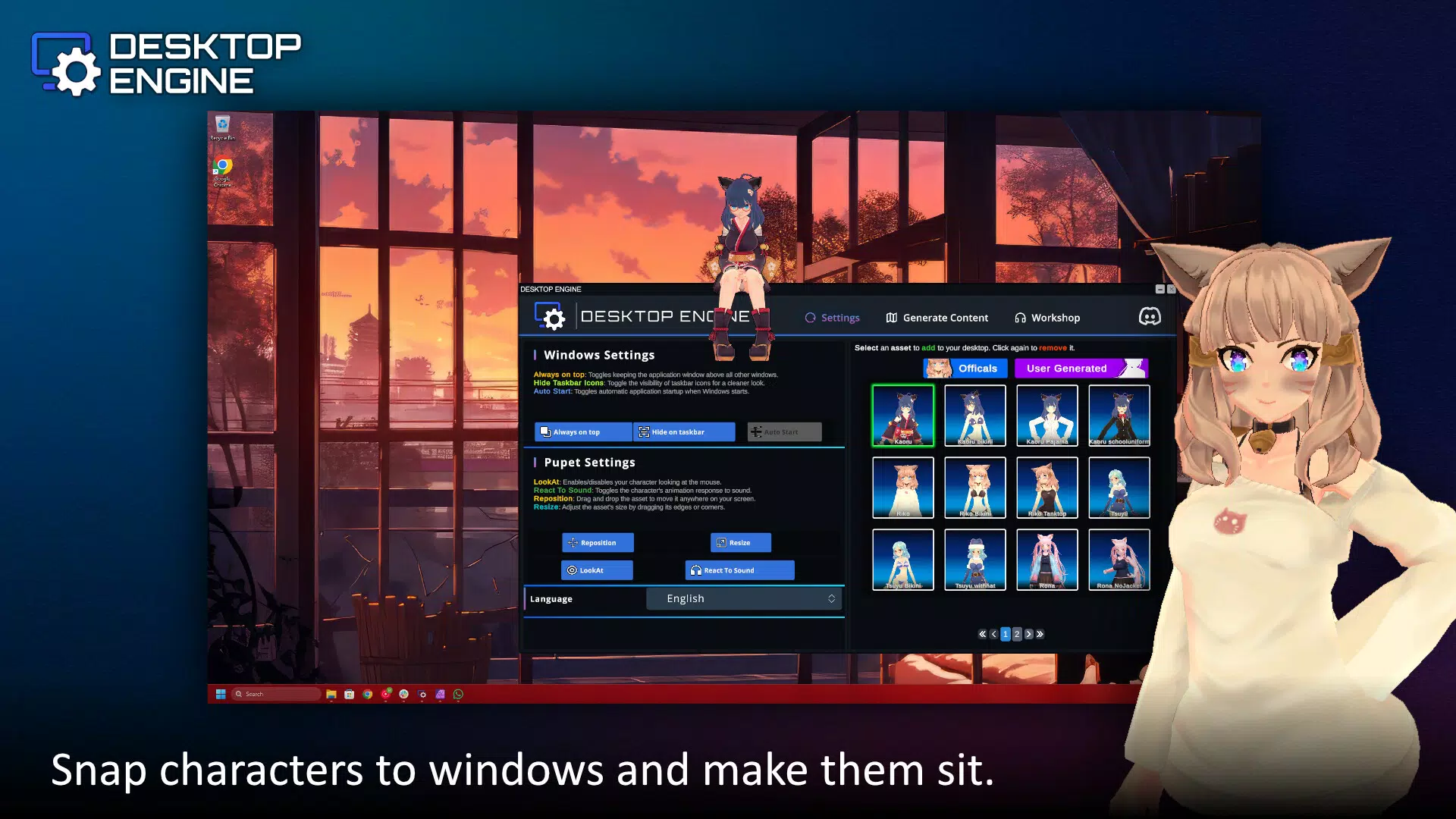
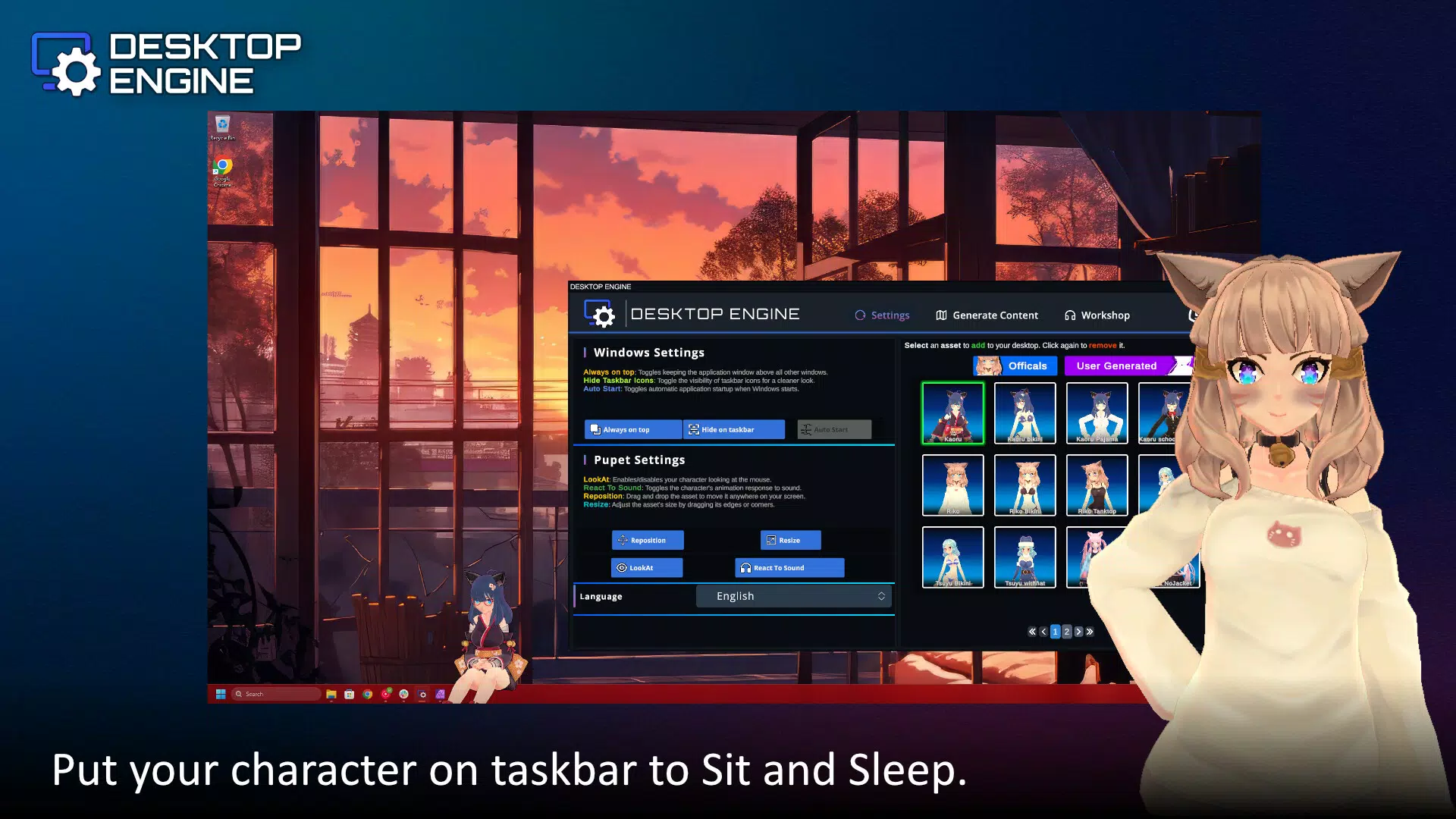
- Ready Content Packs: Users can begin creating immediately with pre-designed content packs, offering a range of characters, animations, and themes. This feature reduces the learning curve and allows quick customization for users who prefer instant results.
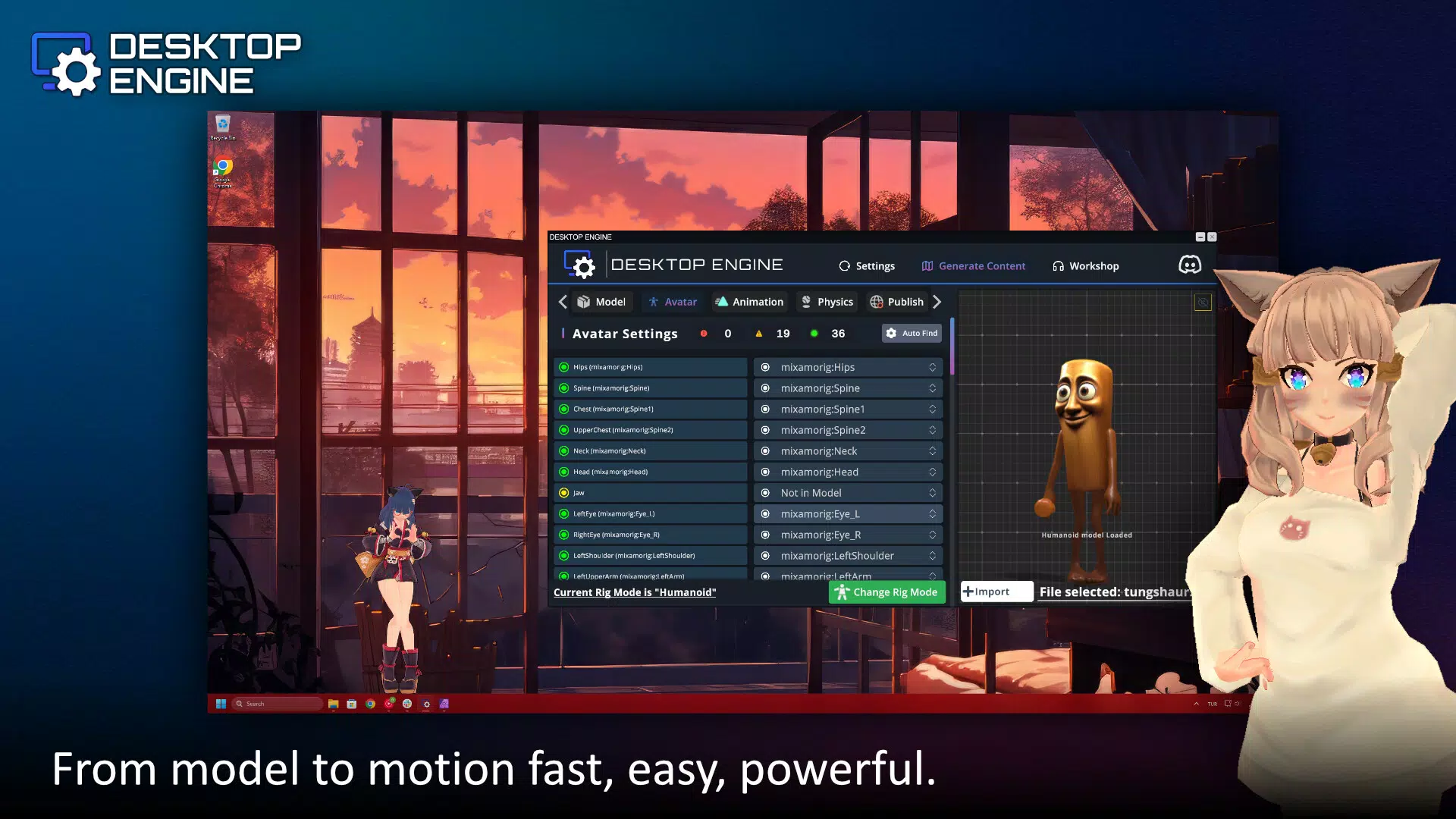
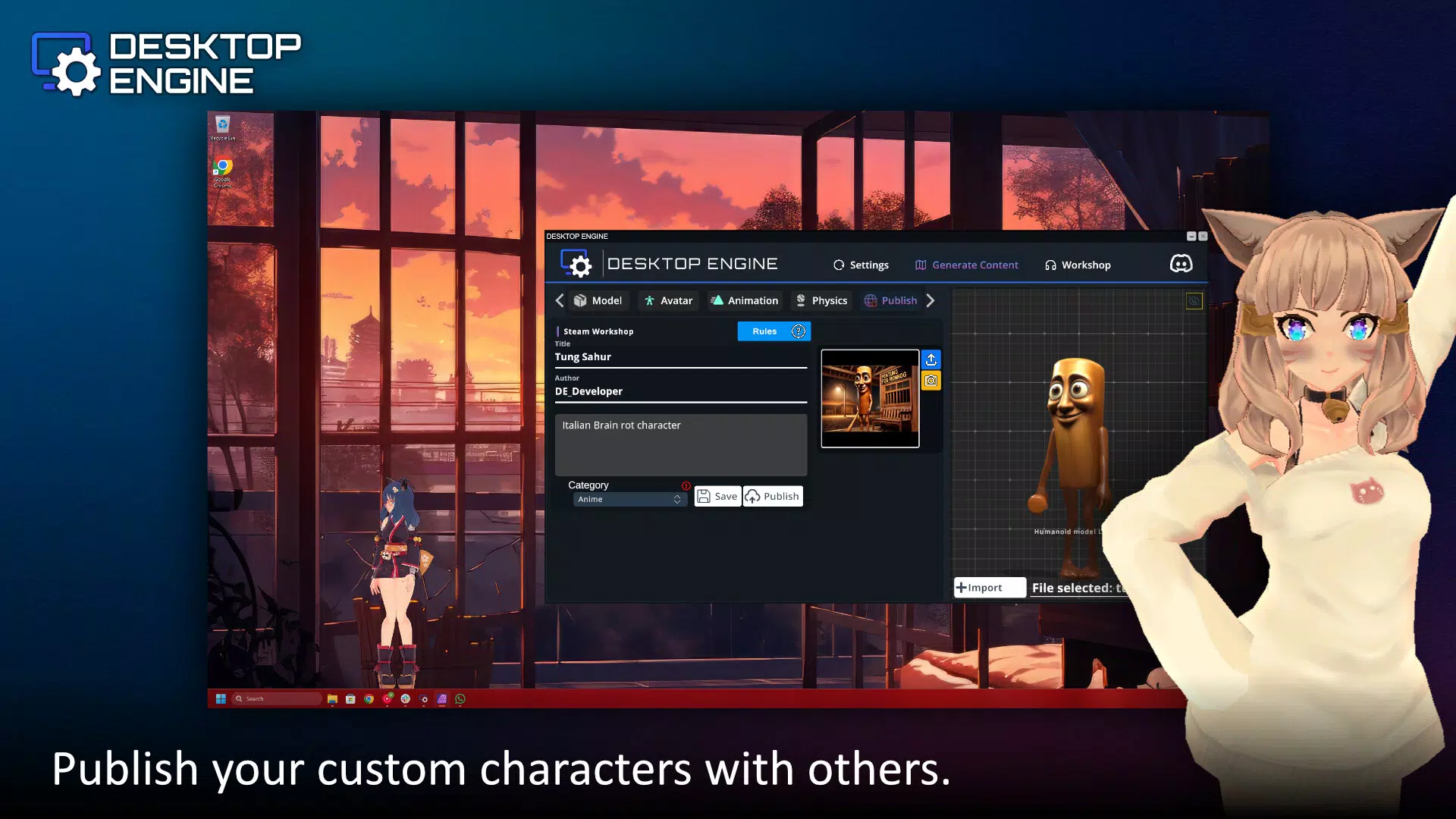
- Custom Content Import: The app supports importing user-created 3D models and animations through a comprehensive content management menu, enabling advanced users to integrate personal assets seamlessly.
- Built-in Editor: A unified workspace houses model configuration, animation libraries, and avatar customization tools. This integration streamlines the creative process and ensures all components are accessible within a single interface.
- Integrated Physics System: The app includes a physics engine that allows animated characters to react dynamically to environmental stimuli, such as movement or touch. This adds realism and interactivity, making characters appear more lifelike and responsive.
- Interactive Reactions: Features like mouse tracking, eye tracking, and touch response allow characters to follow user actions, enhancing engagement and immersion in the desktop environment.
For example, a user working remotely might set up an animated avatar that blinks when the cursor moves, or a digital artist could import a custom 3D model of a character that reacts to touch gestures. These functionalities make Desktop Engine ideal for both casual customization and professional-level creative projects. The ability to adjust physics parameters and fine-tune animations ensures that users can achieve precise control over how elements behave, balancing visual appeal with performance.
Performance and System Integration
Although the developer did not list formal performance metrics, Desktop Engine is described as optimized for minimal CPU and GPU usage. This suggests that the app is engineered to run efficiently in the background without impacting device responsiveness. Users can expect smooth animations and real-time interactions even on mid-tier devices, provided they meet the app’s unspecified system requirements.
The interface is designed with intuitive navigation, allowing users to access content packs, the editor, and settings through a clean, organized layout. Visual elements are rendered with attention to detail, contributing to a polished and immersive experience. Responsiveness across different screen sizes and device categories is implied by the app’s compatibility with both Android and iOS platforms, though specific device testing data was not provided.
Interface, UX & Performance
The user interface of Desktop Engine reflects a balance between visual richness and functional clarity. The layout organizes key tools—such as the content library, editor panel, and animation timeline—into accessible sections, minimizing clutter while maintaining full functionality. Navigation is designed to be straightforward, with clear icons and logical menu hierarchies that guide users through the creative workflow.
Visual style leans toward a modern, sleek aesthetic with smooth transitions and high-quality rendering of 2D and 3D assets. Interaction elements, such as drag-and-drop model placement and real-time preview features, enhance usability and reduce friction during content creation. The app supports touch-based manipulation, which is particularly effective on mobile devices, allowing users to adjust character positions, rotation, and animation triggers with precision.
Although the developer did not specify minimum OS requirements or performance benchmarks, the app’s claim of optimized performance suggests it is designed to maintain stability across a range of devices. Users can expect consistent behavior during prolonged use, with minimal risk of crashes or lag. The app’s ability to run smoothly in the background indicates strong resource management, which is critical for maintaining system responsiveness during multitasking.
Platform Compatibility & Technical Requirements
Desktop Engine is available on both Android and iOS platforms, making it accessible to a broad audience of mobile users. The app’s current version is 1.2.1, with a file size of 48.2 MB, indicating a lightweight footprint despite its advanced capabilities. The developer did not specify minimum OS versions or hardware requirements, so compatibility with older devices or specific processor types remains unclear.
Users should verify that their device meets the general standards for running modern mobile applications, especially those involving 3D rendering and real-time physics simulations. While no official specifications were provided, the app’s performance optimization claims suggest it is designed to function efficiently on devices with moderate processing power and memory. For users upgrading from previous versions, the update process is expected to be seamless, with changes likely focused on stability and feature refinement.
Pros and Cons
- Intuitive interface for creative customization
- Supports both ready-made and custom content imports
- Integrated physics engine enhances realism
- Interactive features like mouse and eye tracking
- Optimized for minimal system resource usage
- Specific system requirements were not listed
- Developer background not disclosed
- Performance on older devices not confirmed
- Price point may limit accessibility for casual users
- Updates and future feature roadmap not publicly detailed
FAQ
Is Desktop Engine available for both Android and iOS?
Yes, Desktop Engine is compatible with both Android and iOS platforms, allowing users on either ecosystem to download and install the app.
Can I use my own 3D models in Desktop Engine?
Yes, the app supports importing custom 3D models and animations through its comprehensive content management system, enabling full personalization of desktop elements.
Does Desktop Engine use a lot of battery or system resources?
The app is designed to use minimal CPU and GPU resources, ensuring smooth background operation without significantly affecting device performance or battery life.
How do I update Desktop Engine?
Updates are typically delivered through the respective app stores (Google Play and Apple App Store). Users should check for updates regularly to access new content packs and improvements.
Is the app secure to download and use?
As a paid application distributed through official app stores, Desktop Engine is subject to security checks. Users are advised to download only from trusted sources to ensure a secure experience.
Final Thoughts
Desktop Engine offers a unique blend of creativity and functionality, empowering users to personalize their mobile desktops with animated, interactive characters. Its intuitive editor, physics-based interactions, and support for custom content make it a standout tool in the productivity and utility space. While the lack of detailed technical specifications and developer information may raise questions for some, the app’s performance claims and clean interface suggest a well-engineered solution.
It is best suited for creative users, digital artists, and tech-savvy individuals who value immersive, responsive digital environments. The $9.99 price tag reflects its advanced features, though it may be a barrier for casual users. For those seeking a dynamic, interactive desktop experience, Desktop Engine delivers strong value.
Download Desktop Engine now


